Accessing Remote Devices
Remote devices can be accessed for two reasons:
- Accessing their data remotely
- Controlling them remotely
Administrators can Add new devices and assign them to existing users (or groups of users) for management.
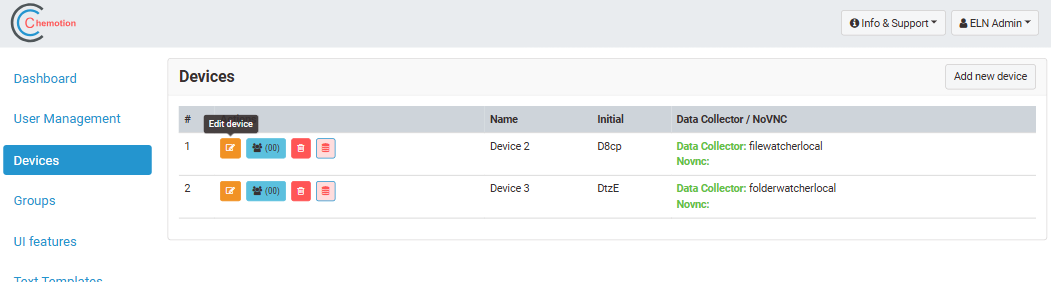
Accessing Remote Data
This is enabled by collecting Data Collector section of a Device's settings panel.
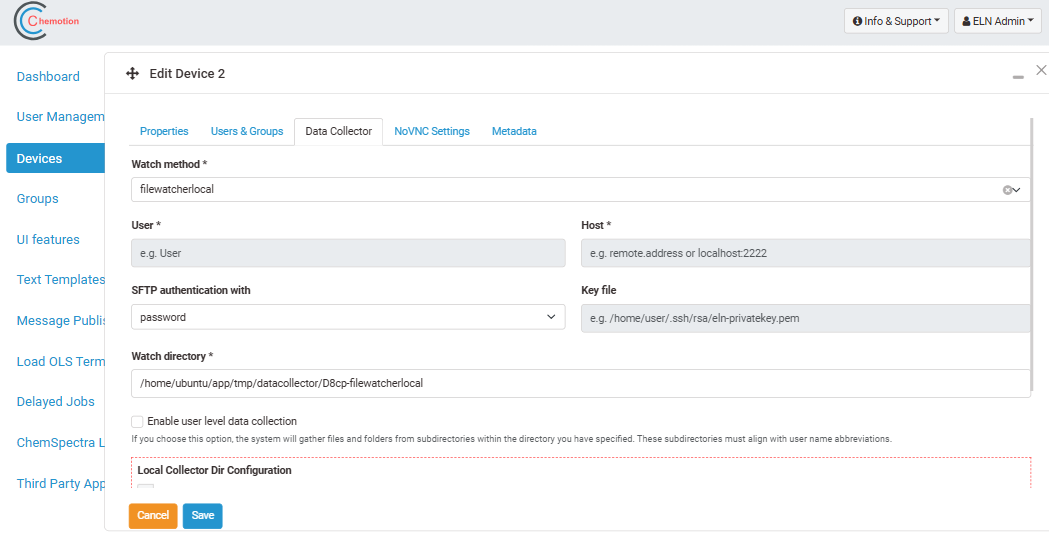
This feature is covered in extended detail in the Devices section.
Controlling devices remotely
The ELN allows users to control a device remotely using a websockify/noVNC connection. This can be configured in the noVNC settings section of a Device's settings panel.
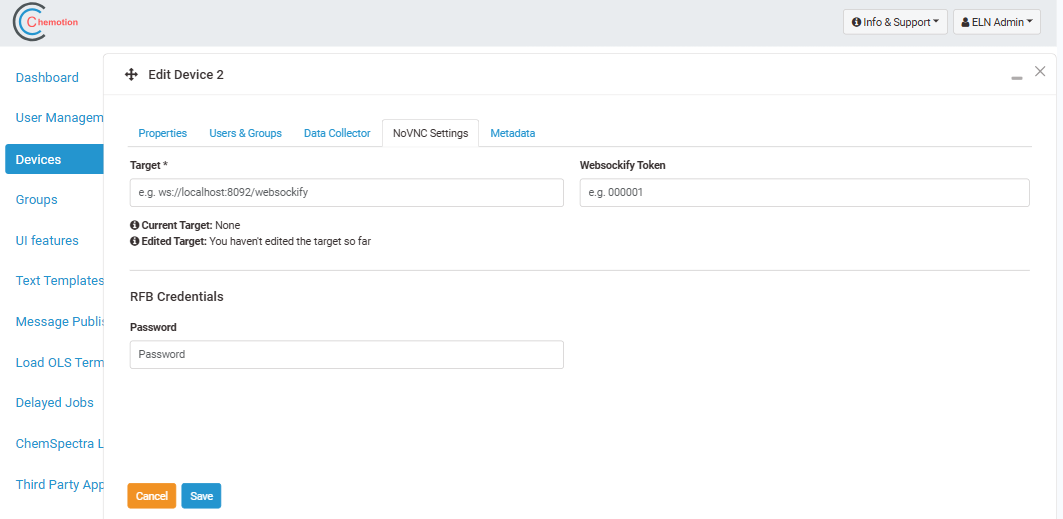
Once a device is configured, access to the remote device can be given to a user (group). This triggers the visibility of a device in the remote control area of the ELN where users can access devices through the ELN UI.
VNC using Websockify
The concept of our implementation is as follows:
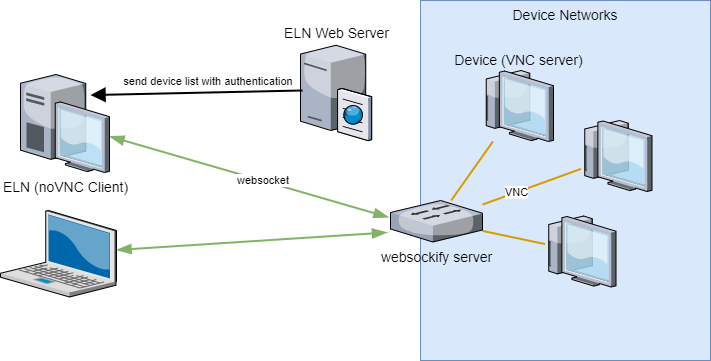
For more details of websockify, please see this repository.