Remote Device Control
Remote device control is an integral part of device integration. The device integration protocol generally enables the remote access and transfer of data. Both these can be set up separately, with neither relying on the other. This guide mainly covers the configurations for remote data or device access.
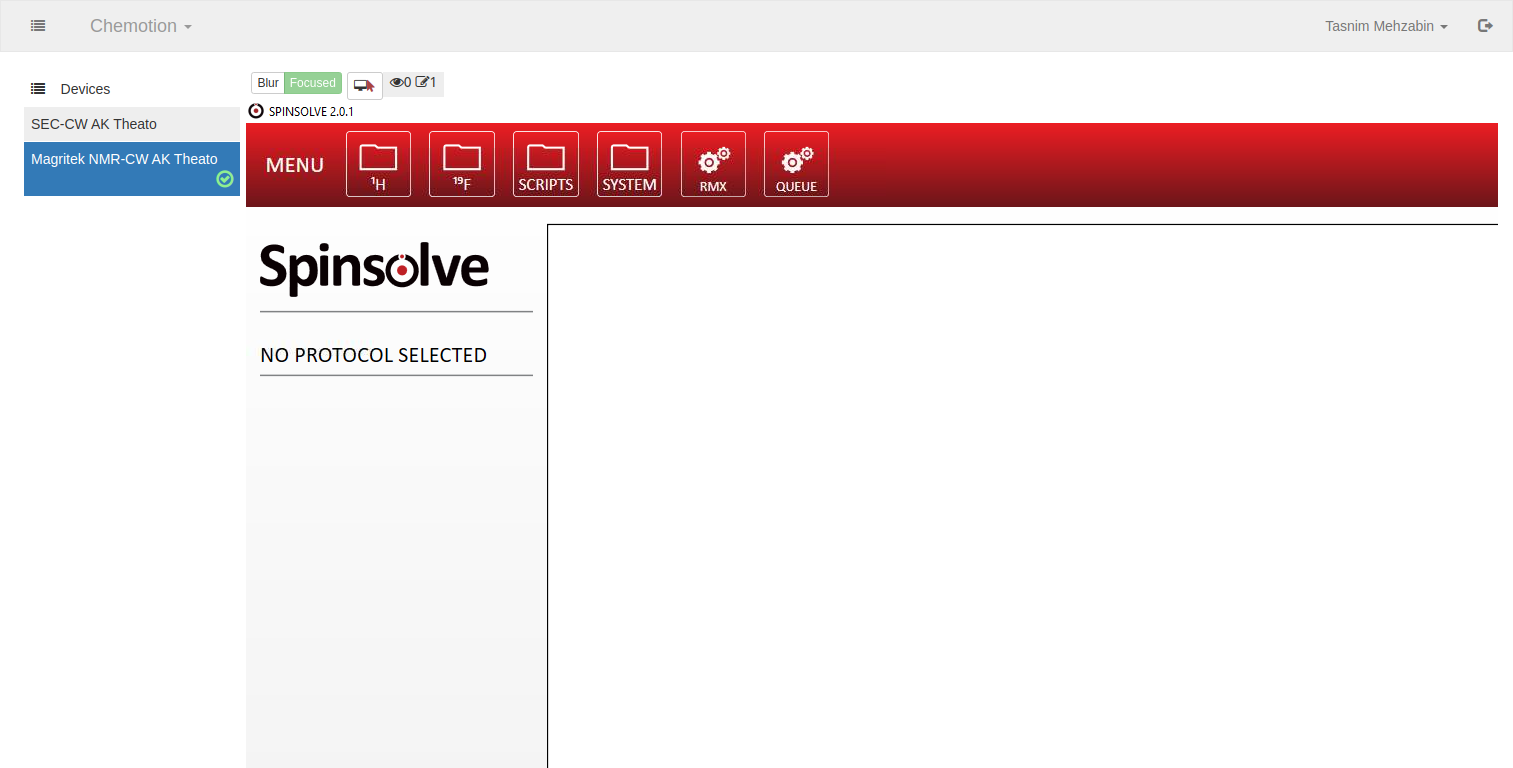
Users will be able to access the device through the Chemotion ELN. For that, the device PC and the Chemotion ELN must be connected to a common LAN. Furthermore the firewall of the LAN needs to allow VNC connections to be established.
Configuration on source PC
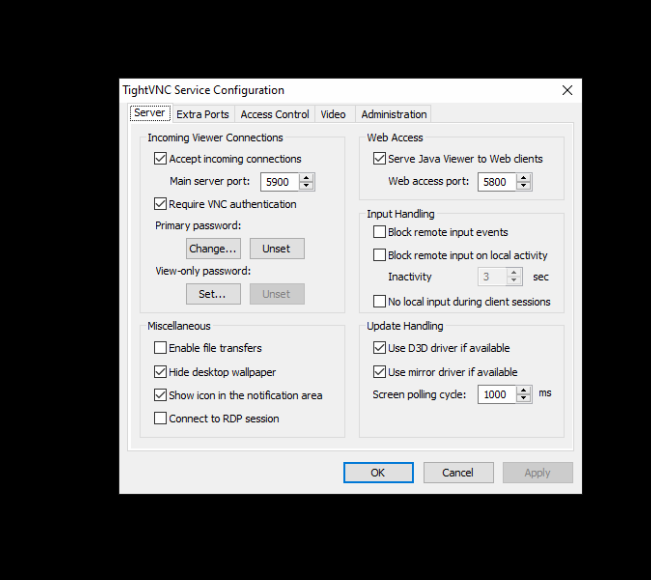
This has been achieved by the installation of the software, TightVNC (Installer for Windows, 64-bit). Users can access the computer remotely through Chemotion ELN through this. The administrator configures it as follows,
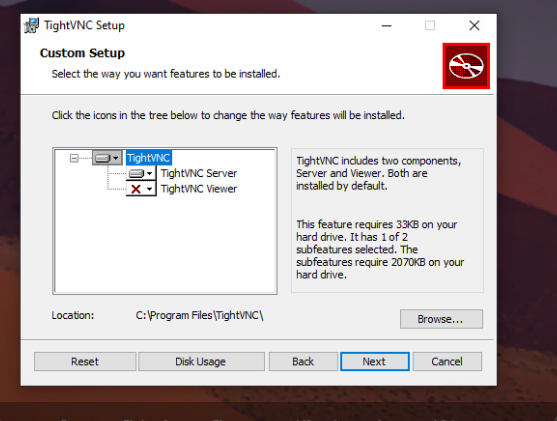
On the setup screen, select the TightVNC server to be installed along with the set up of the passwords for remote access and administrative password.
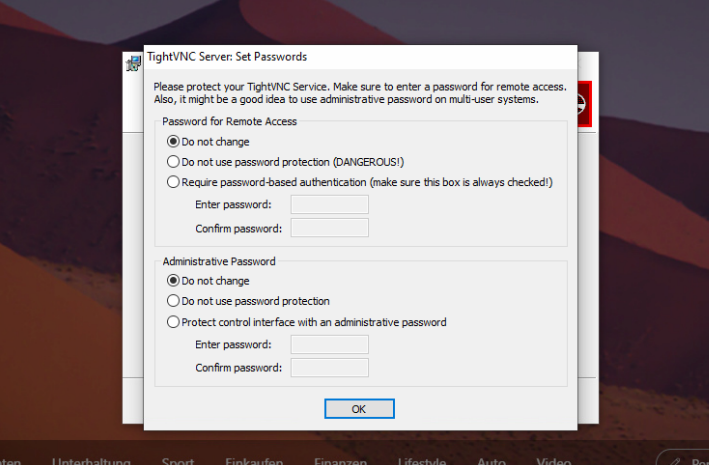
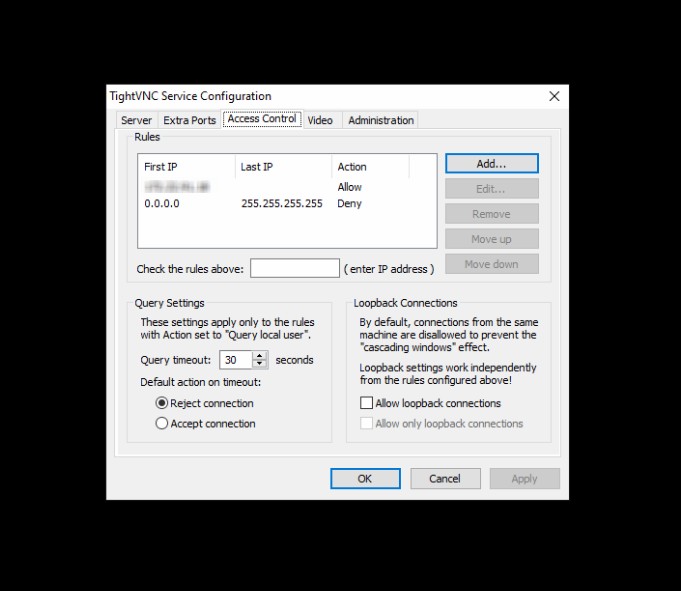
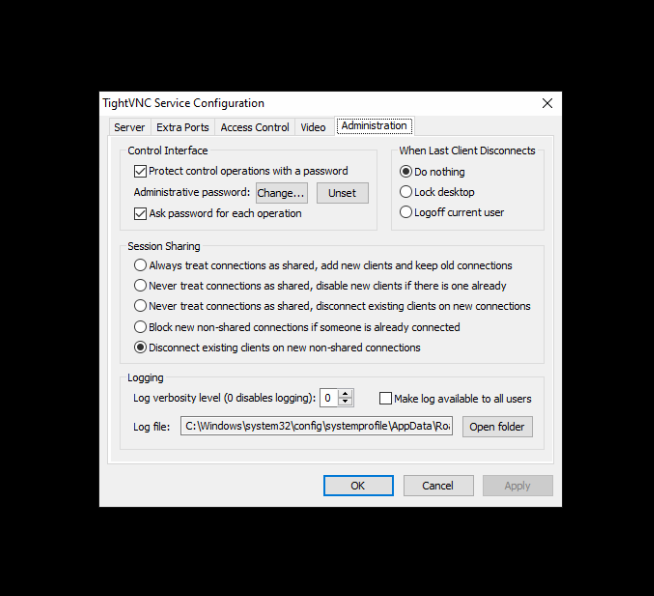
After installation, make sure it is accepting incoming connections at port 5900 and also, for added security, whitelist the IP address of the Chemotion ELN only. Also select the option so that the administrative password is needed to make any changes or for each operation.
Configuration in Chemotion ELN
There are basically two types of configurations to perform in Chemotion ELN,
- As an admin of Chemotion ELN
- As an admin of the group which the device belongs to
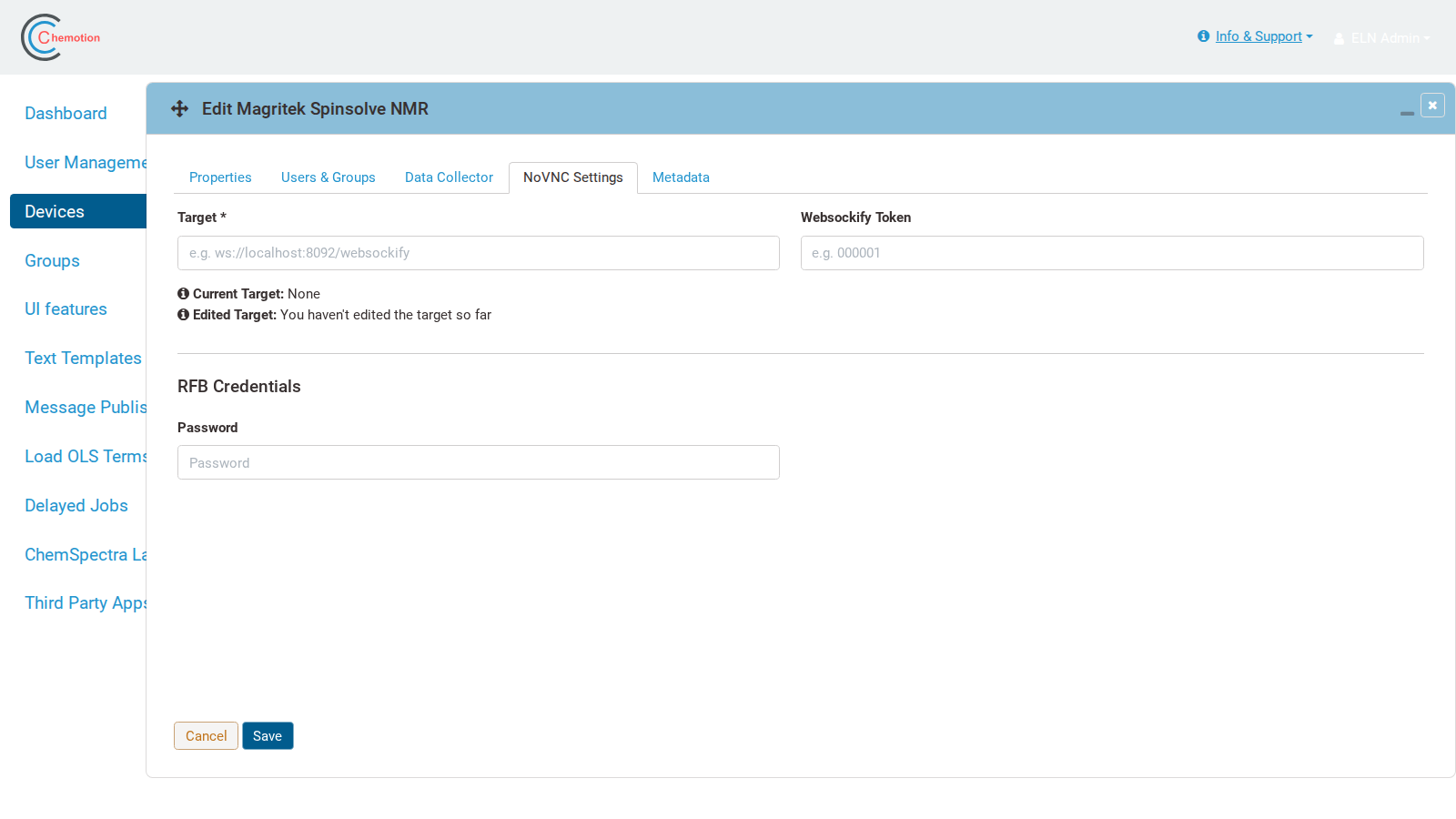
As an admin of Chemotion ELN, create the device corresponding to the target device and configure the NoVNC settings for it with a token. For further information regarding VNC settings, see Remote Devices.
On the other hand, as an admin of the group which the device belongs to, make sure that the user belongs to the group in Chemotion ELN in order to get access to the device. If the user is not already in the group, then the group admin will have to add the user from Chemotion ELN.
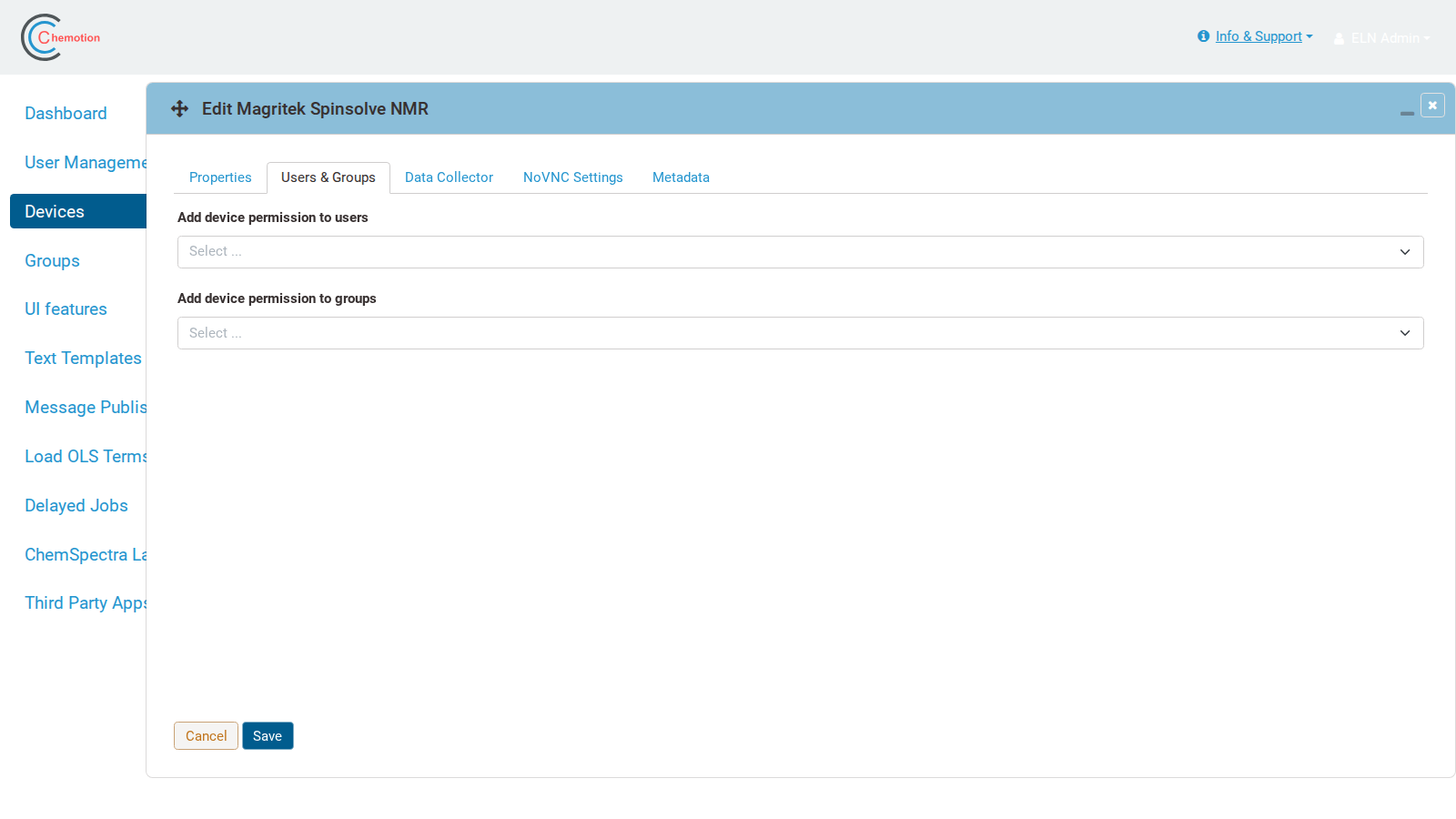
For a user who is in the group, the user has to log in to the Chemotion ELN to access the device.