Designer Guides
Designer supports a wide range of component types, spanning from simple text fields to tables, and allows you to set up a workflow.
Reader: DesignerDesigners can work with a variety of component types, ranging from simple text fields to tables. This empowers them to construct intricate workflows tailored to their requirements.
As a designer, one can take advantage of the following capabilities:
- Easily synchronize templates suitable for the application from the Template Hub. This approach allows designers to benefit from the collaborative efforts of scientists and is highly recommended.
- A wide variety of Components, allowing designers to approach their design methodically, step by step.
Recommended practices
Sync templates from Template Hub
Utilize the Template Hub, a user-friendly collaboration center designed for scientists to effortlessly share templates across different applications. Synchronizing templates through the Template Hub is a streamlined process.
Watch the video below to see how a designer can efficiently sync templates to their own instance.
YouTube will track your interaction with them.
LabIMotion - Sync Dataset Template from LabIMotion Hub
Find templates that are suitable for the application in the LabIMotion Hub.
Getting Started
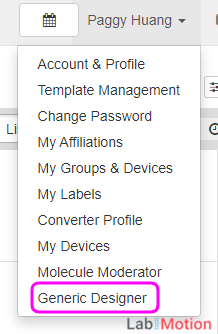
- Select Generic Element Designer, Generic Segment Designer, or Generic Dataset Designer from the menu.

- Locate the desired template and click the Template button - the system will automatically navigate to the Work Area.
Starting with LabIMotion v2, designers can use Quick Filter to quickly find a template by entering a piece of text.
YouTube will track your interaction with them.
LabIMotion - Quick Filter
- Utilize the Preview Design feature to gain a visual representation of the template's appearance.
- Access the Work Area to integrate essential components, arrange them as preferred, and establish the desired layout.
YouTube will track your interaction with them.
Designer, you design what you need.
Guide Sections
The following sections explore the key features in detail.
Template
2 items
Elements
4 items
Segments
4 items
Datasets
3 items
Components
2 items
Workflow
The Workflow facilitates the seamless arrangement and organization of different processes within a visual workspace. It offers the following key features: