Preparation
Before You Start...
LabIMotion divides users into two distinct roles: Designer and User, each with specific responsibilities and permissions tailored to their needs. The Chemotion team strongly recommends having a clear understanding of one's role before proceeding.
Words for System Administrators
Assigning the Designer role
Given the importance of this Designer role, the Chemotion team recommends assigning it to users who are responsible for creating and managing templates.
To assign the Designer role, navigate to the User Management menu and select the user to whom the role should be assigned, then click Grant/Revoke Generic Designer.
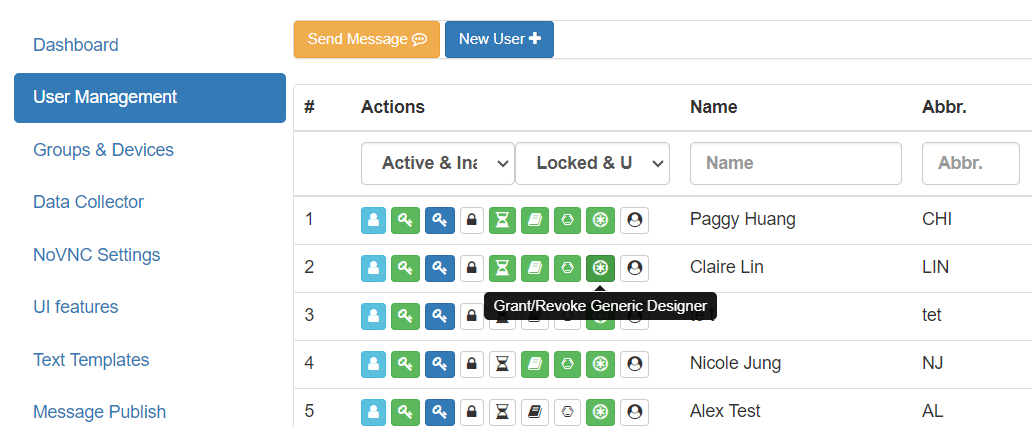
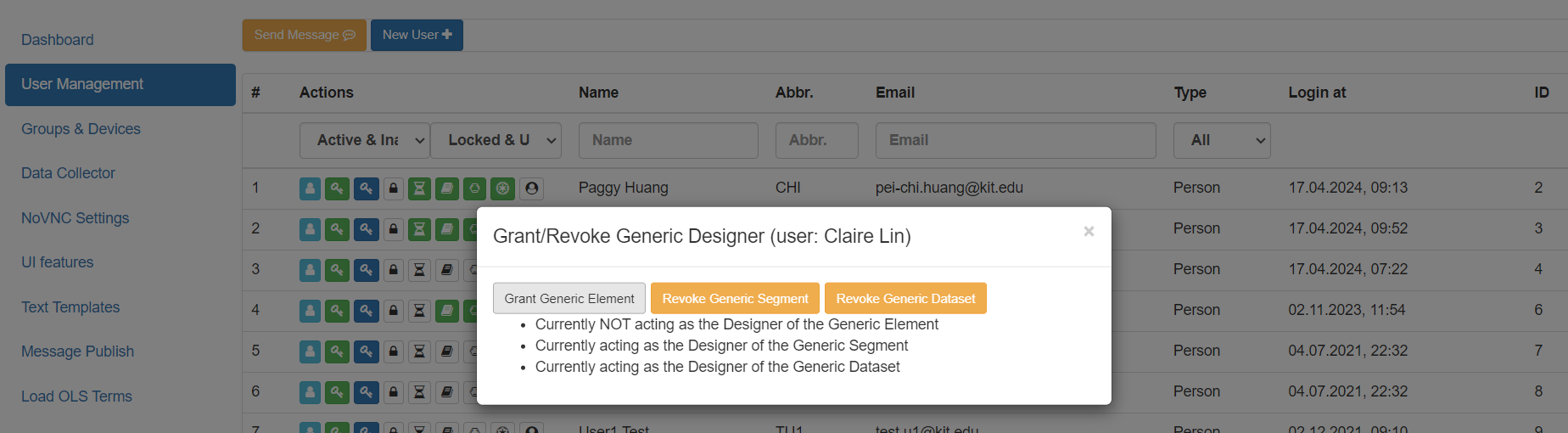
The Grant/Revoke Generic Designer window will appear. Click on the button to grant or revoke the permission for the selected user.
Enabling Features
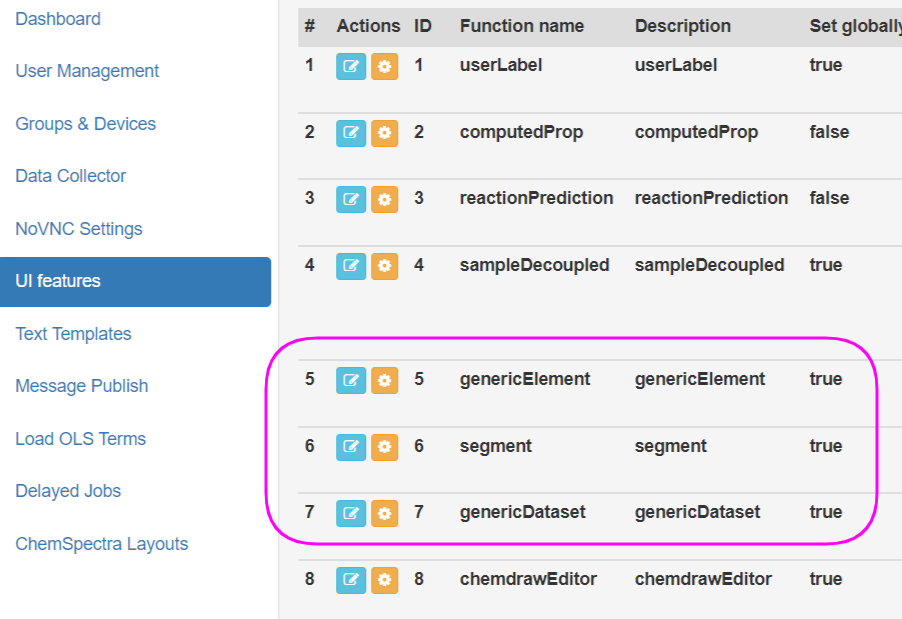
Navigate to the UI features menu, choose the generic feature (Element, Segment, and Dataset) to enable. Click on the Edit Permission button to configure the permissions for the selected feature.
Allowing access to Terminology Service
Ensure the instance can connect to the Terminology Service (https://www.tib.eu/services and https://api.terminology.tib.eu) to retrieve complete and up-to-date ontology terms and data. If access to these URLs is restricted, the related functionality will still work, but users may receive incomplete information.
Words for Designers
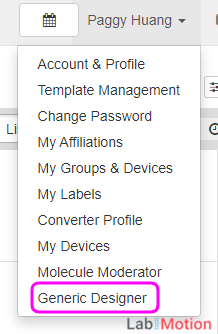
To access the Designer function, designers must have the necessary permissions. If the Generic Designer option cannot be found in the menu, please contact the system administrator for assistance.
Recommended practices
Utilize the Template Hub, a user-friendly collaboration center designed for scientists to effortlessly share templates across different applications. Learn how to synchronize templates from the Template Hub in the Template Sync & Publish.
Words for Users
Users must have the necessary permissions to access Generic Elements, Segments, or Datasets. If these generic features are not visible, please contact the system administrator for assistance.