Template Sync & Publish
Utilize the template and subsequently publish your work.
Template synchronization enables designers to synchronize templates from the Template Hub into their instance.
In their role as designers, they have the capability to request templates to be integrated into their instance. Once these templates are requested, they will be generated and subsequently made available within the instance, allowing users to promptly commence their utilization.
Additionally, users have the option to acquire DOIs for their work in the Chemotion Repository and facilitate the process of publication.
Synchronize templates
The Template synchronization function can be accessed by anyone with Designer permissions.
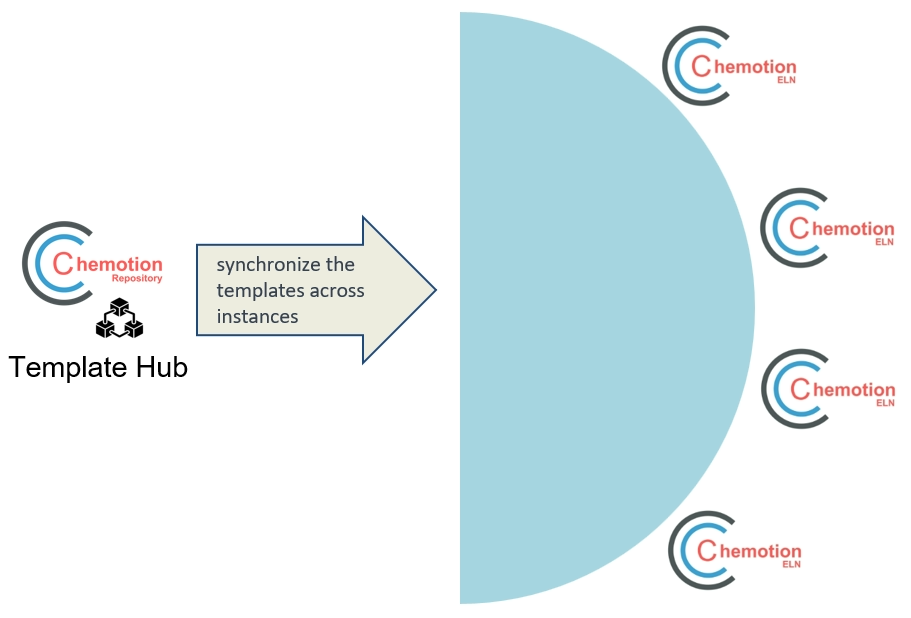
synchronize templates from template hub
Watch the video to see how a designer can sync the template back to their own instance.
YouTube will track your interaction with them.
Publish your work
Example to walkthrough: Publish MOF reactions
Once Designers synchronize templates from the Template Hub, users gain the ability to choose the template that aligns most effectively with their intended application, such as MOF segments. Subsequently, users proceed to transfer their work to the Chemotion Repository after appropriately recording the essential data. In the concluding phase, users submit their work—whether it encompasses reactions or samples—and consequently, this process triggers the generation of DOIs and the subsequent publication of the reactions.
💡 Interested in the MOF Segment? Users can now synchronize it from the Template Hub to their instance and give it a try!
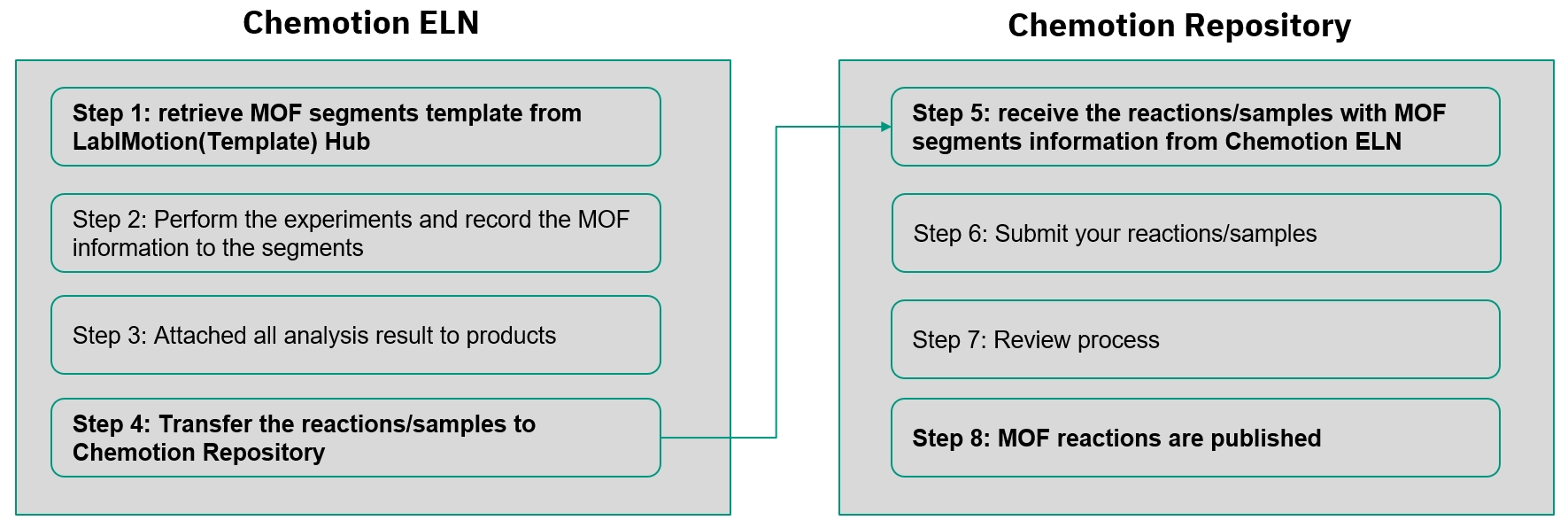
process overview
Template fetching is performed by the Designer.
YouTube will track your interaction with them.
Learn more about
Discover the features of Chemotion Repository and unlock the potential to publish the work efficiently.