Local Collectors (in docker containers)
The ELN allows data to be collected automatically from a folder using the data-collector feature. This is useful for sharing files between e.g. a device and the ELN. On the device side, the (analyses, result etc.) files can be put in a (networked shared) folder. On the ELN side, the ELN monitors this folder for any changes and imports files from the device directly into the ELN.
Configuration outside Chemotion ELN
Once the computer that is running the Chemotion ELN (Docker container) has access to the shared folder, this folder can then be mounted into the Chemotion ELN's containers. To do so:
-
Mount the shared folder in the containers using the
docker-compose.ymlfile by adding the folder as a volume in the keysservices.eln.volumesandservices.worker.volumes. In case you are using ChemCLI, make the changes in thedocker-compose.cli.ymlfile. -
Once added, the
docker-compose(.cli).ymlfile could look similar to the following:services:eln:image: ......volumes:- ...- /path/to/folder/with/data:/chemotion/datacollector/device-nameworker:image: ......volumes:- ...- /path/to/folder/with/data:/chemotion/datacollector/device-name -
Next, add this path to the config/datacollector.yml file which is located on the host in
(instances/<instance-name>)/shared/pullin/config/datacollector.ymlas shown below. One has to create a new config/datacollector.yml file if it does not exist.Note that the administrator can input multiple paths, i.e. mount different instruments. For example, the second commented line here mounts the folder
/tmp/datacollectorwhich can point to some other device.:localcollectors:- :path: '/chemotion/datacollector'# - :path: '<%= Rails.root.join(*%w[tmp datacollector]).to_s %>' -
The ELN needs to be restarted once these changes have been made. For more information, for example, configuring the frequency for collecting the files, please check Data collector settings
Configurations in Chemotion ELN: Admin Panel
The administrator navigates to Devices in the admin panel and creates a new device instance. This registers the device information to the database of the Chemotion ELN.
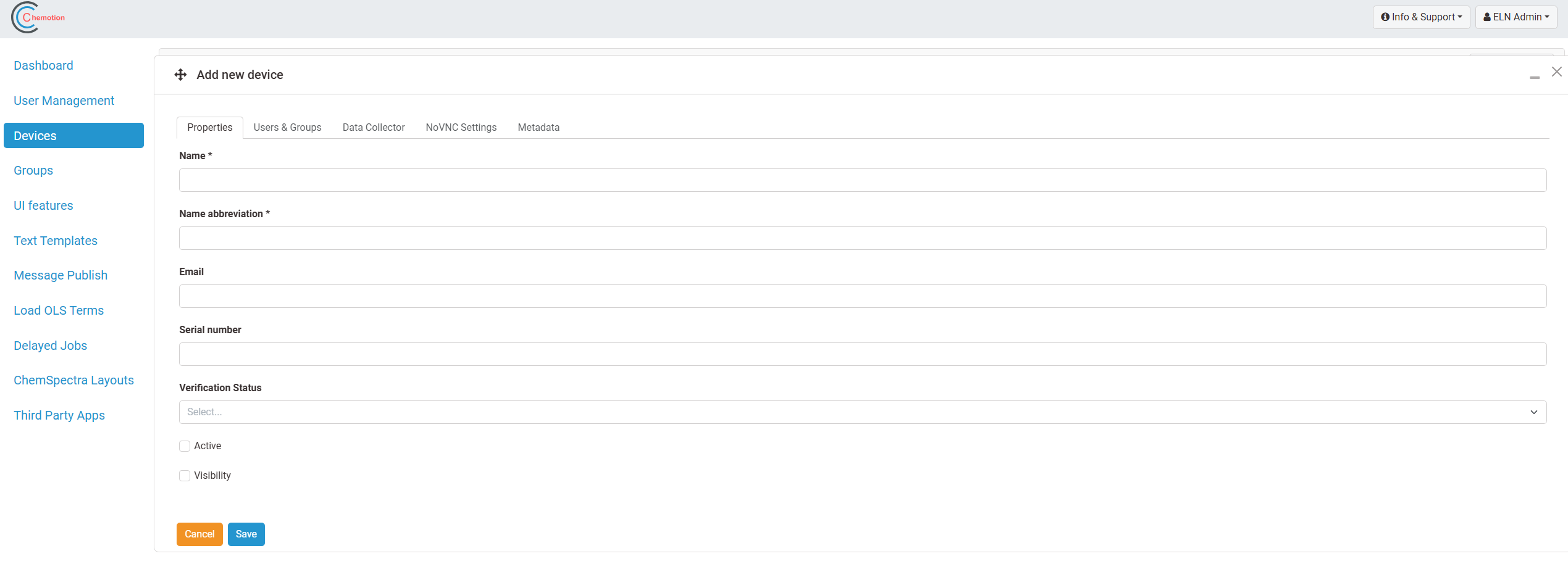
File Collector
Along with that a data collector profile will be automatically generated. For the local collectors, the administrator only needs to specify the following,
- Watch Method (filewatcherlocal/folderwatcherlocal)
- Watch Directory - Specify the directory created inside the locally mounted folder. Here CV-data, for example, has been created within the mounted folder, datacollector
In this case the administrator configures the watch method as filewatcherlocal to collect files from the
specified Watch Directory.
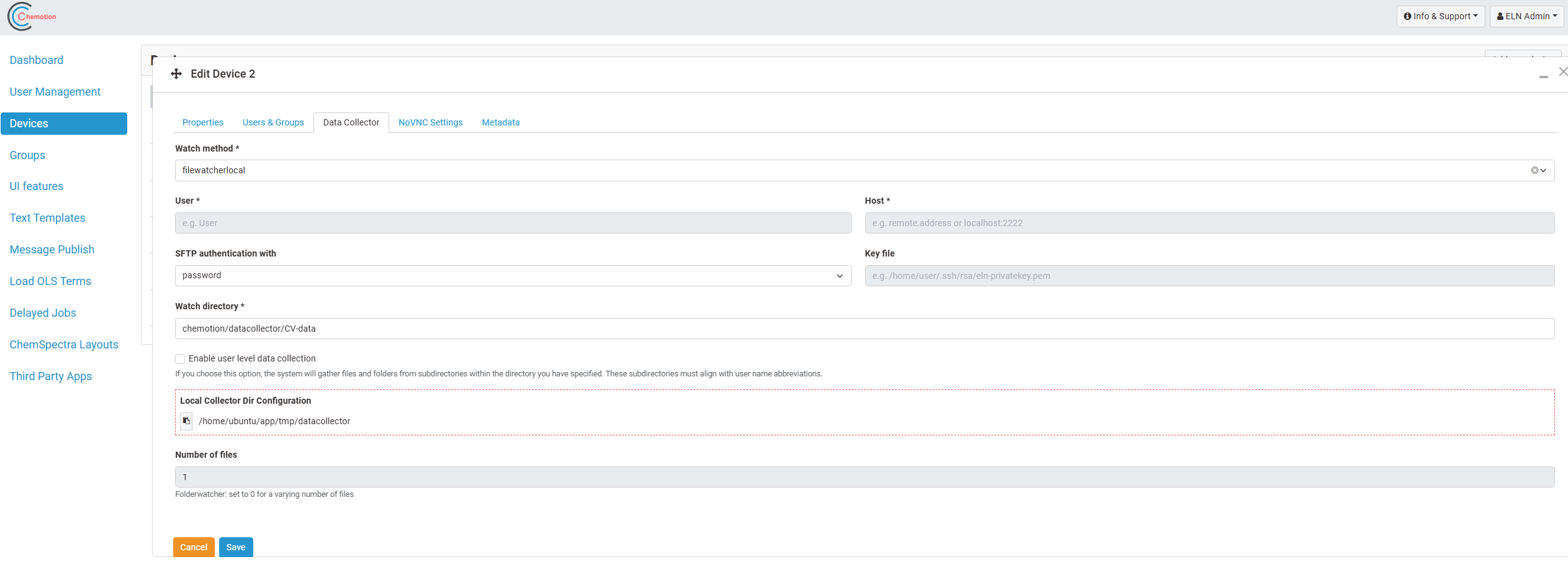
As the next step, files from the ./datacollector/CV-data will now keep being collected by the collector in the
Chemotion ELN. The administrator has to make sure that the name of the files start with the name abbreviation (Kürzel) of a specific
user. The file will reach the inbox of that particular user. In case the name abbreviation is not valid, then the file
will be discarded.
Please take care that you communicate name conventions to all users of the Chemotion ELN.
The directories watched by the collector service will be emptied at each collection i. e. all files within the watched directories will be removed.
To know more about the user-level data collection, please check here
Folder Collector
All the configurations are more or less the same as in the File Collector. Here the administrator configures the Watch
Method as folderwatcherlocal.
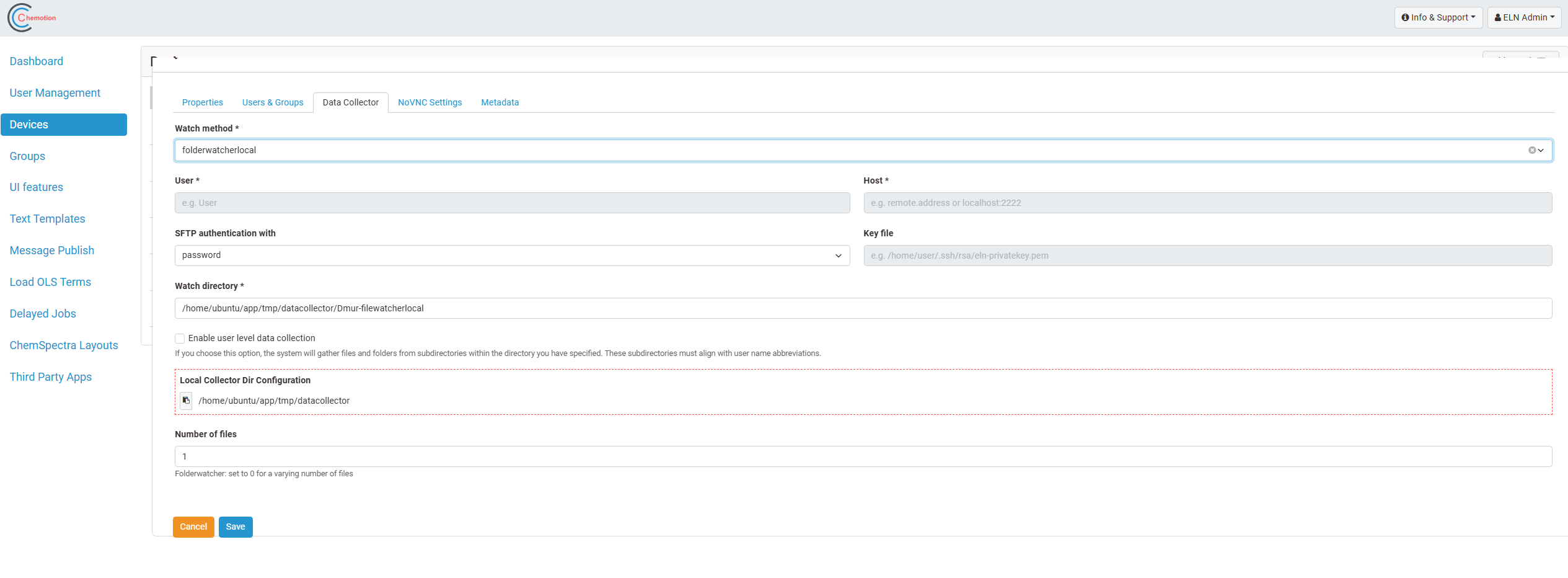
Here is a new input to consider, i.e. Number of files. As mentioned in the info text in the Chemotion ELN, if the
folders to be collected may contain a variable number of files, then the administrator sets it to 0. Otherwise if the number of
files within the collectable folder is known, the administrator sets it to that value.
Here also the administrator has to make sure that the name of the folder to be collected starts with the name abbreviation (Kürzel) of a specific user.