RADAR4Chem
Overview
Chemotion ELN version 1.5.0 and later allows users to transfer data to RADAR4Chem, a research data repository for chemistry data. Before this feature can be used, users need to configure the Radar integration settings in Chemotion ELN.
About RADAR4Chem
RADAR4Chem is a reliable and low-threshold publishing service for chemistry research data based on the established data repository RADAR by FIZ Karlsruhe - Leibniz Institute for Information Infrastructure. It offers free publication for any data type and format according to the FAIR principles, independent of the researcher's institutional affiliation. Through persistent identifiers (DOI) and a guaranteed retention period of at least 25 years, the research data remain available, citable and findable long-term.
- RADAR4Chem Portal: https://radar4chem.radar-service.eu/radar/en/home
- RADAR4Chem Website: https://radar.products.fiz-karlsruhe.de/en/radarabout/radar4chem
- re3data listing: http://doi.org/10.17616/R31NJNAY
Prerequisites
Users will need a RADAR4Chem account and workspace to use this integration. Please get in touch with the team, if this is not yet the case, and the Chemotion team will forward the request to the RADAR4Chem-Team at FIZ Karlsruhe.
Please note:
- The offer is exclusively directed to researchers at publicly funded research institutions and universities in Germany, the EU, Switzerland and the UK.
- Currently, per definition the use of RADAR4Chem is limited to a maximum of 10 GB storage volume per research project. Please contact the team if a research project involves a larger volume of data.
- Before data can be published in RADAR4Chem, users have to agree to the RADAR4Chem License and User Instructions (PDF).
Users can visit the Would you like to use RADAR4Chem? page to learn more about RADAR4Chem and how to get started.
Maintaining Metadata
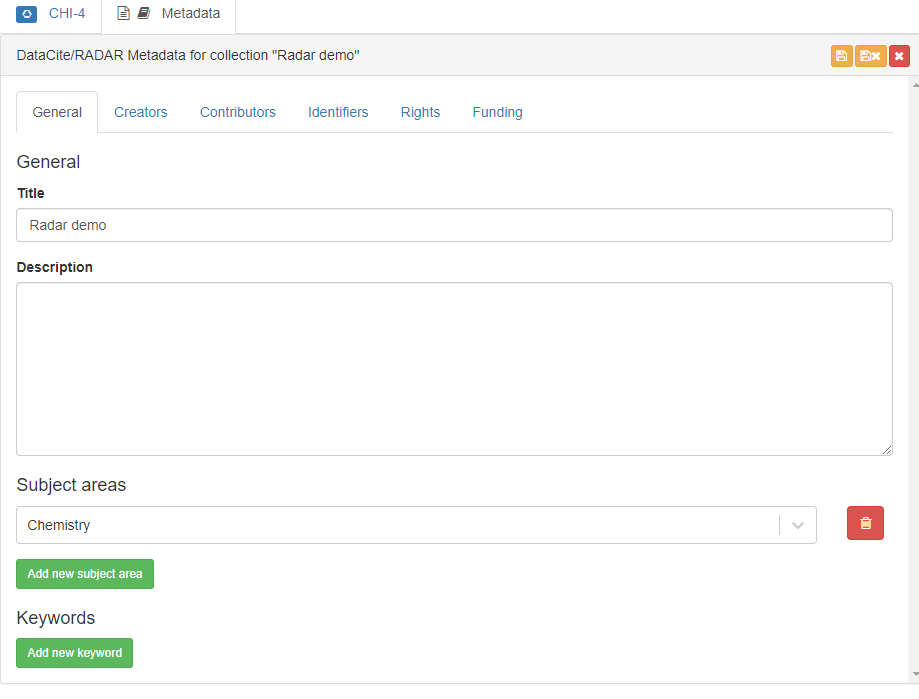
When preparing data for publishing via RADAR4Chem, it is important to provide the appropriate metadata information. Metadata information such as subject, rights holder, and rights are required and can be defined in the metadata editor in Chemotion ELN. After entering this information, be sure to save it by clicking the "Save" button in the top-right corner of the metadata editor.
Preparing Data for Publishing
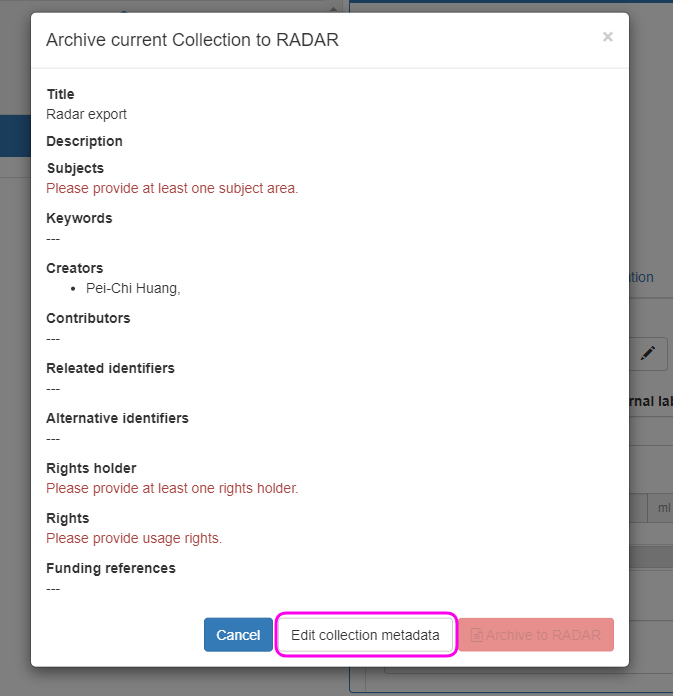
To publish data via RADAR4Chem, select the collection to publish and click on "Archive Publish current collection in RADAR". If the minimum required information has not yet been defined, the "Publish in RADAR" button will be disabled. In this case, click on the "Edit collection metadata" button to add the required metadata.
Publish via Radar
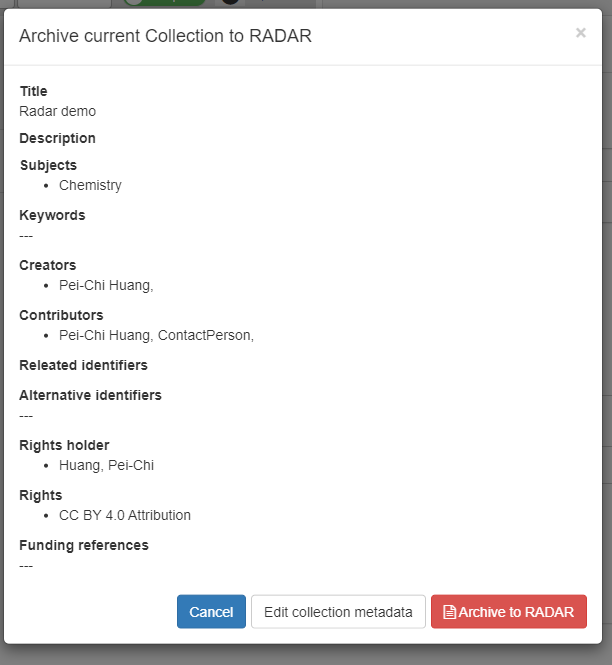
Once the required metadata has been added and saved, the "Publish in RADAR" button will become available. Clicking on this button will initiate the data transfer to RADAR4Chem.
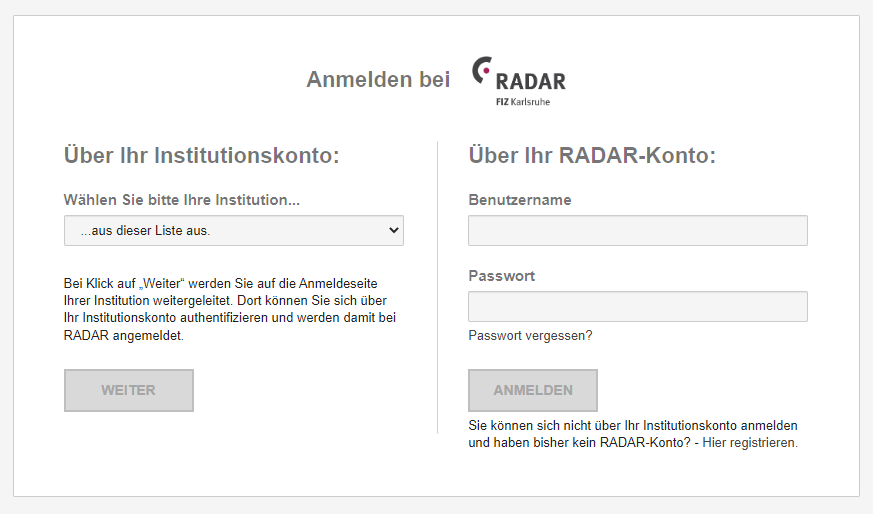
RADAR4Chem Credentials: Enter the RADAR4Chem login credentials to proceed with the publication process.
If more than one workspace is associated with the account, users will need to select the appropriate workspace before exporting the data. To do this, select the desired workspace and click on the "Export" button.
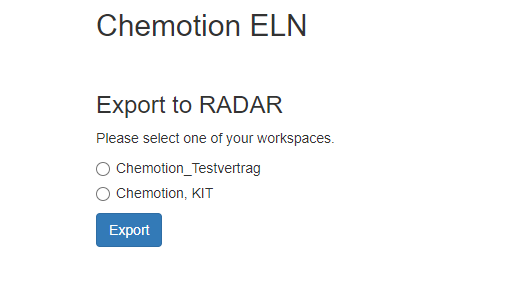
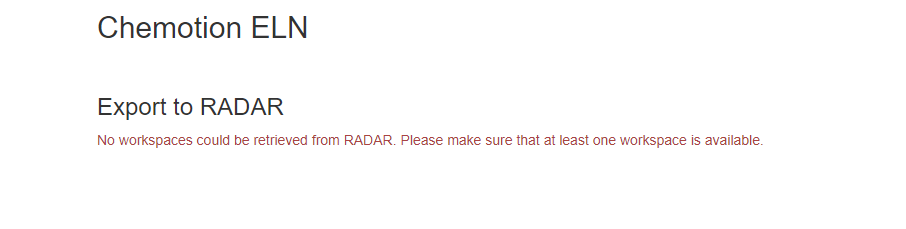
If no workspaces are associated with the account, users will not be able to publish data via RADAR4Chem and will see the following message:
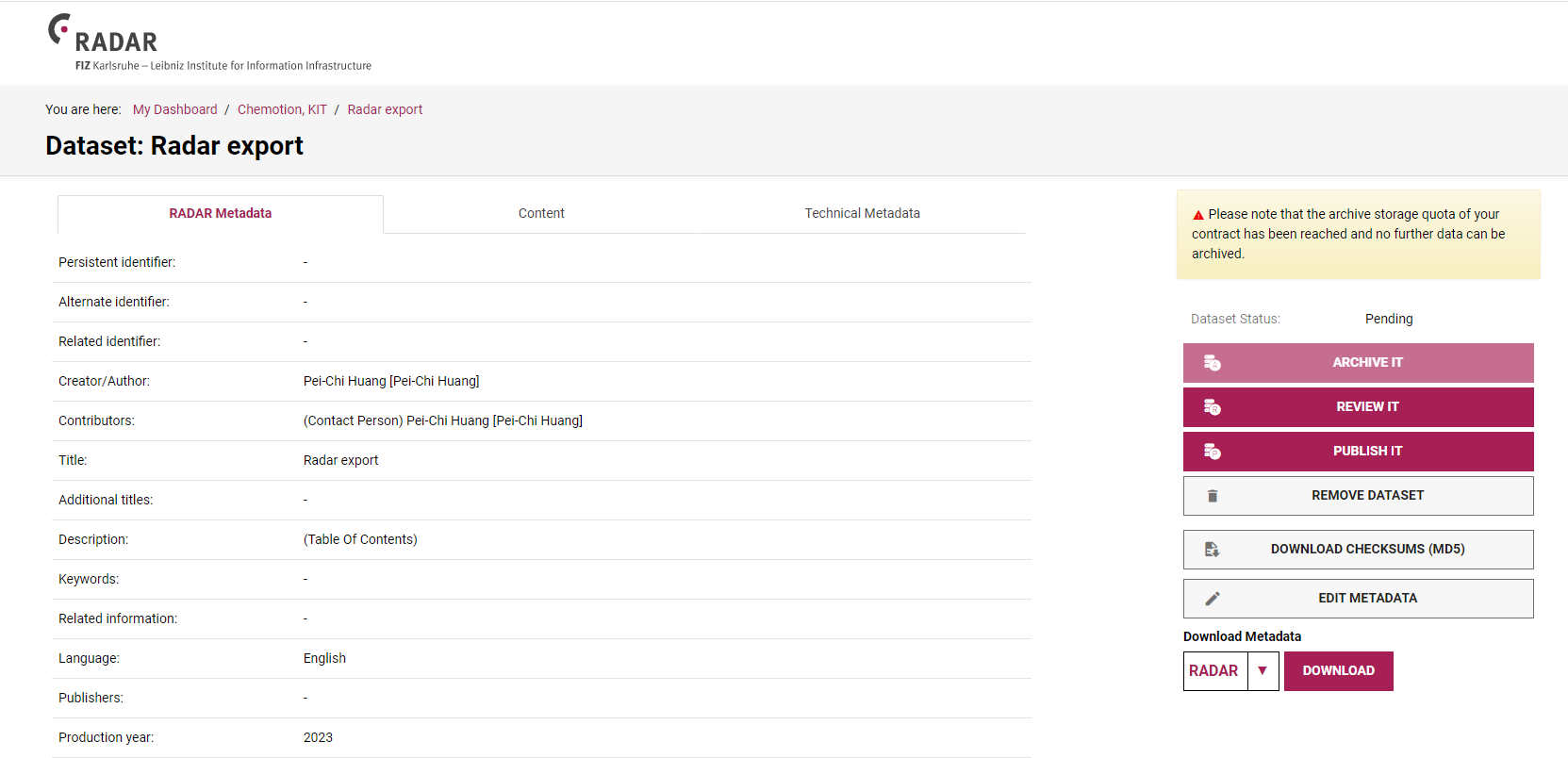
After the "Export" button is clicked, the data will begin exporting to RADAR4Chem. A message will appear indicating that the export is uploaded to RADAR4Chem, and the user will be redirected once the upload is complete.

After the upload is complete, the user will be redirected to the RADAR4Chem website where they can access and manage their archived data.
Conclusion
This integration with RADAR4Chem allows users to easily transfer and manage their chemistry research data. By following the steps outlined in this user manual, users can prepare their data for the publication and initiate the transfer to RADAR4Chem with confidence.