Image Editing & Annotation
Overview
As of version 1.5.0, images can be edited or annotated directly in the Chemotion ELN UI without an external editor.
Editable file types are .png, .bmp, .tiff, .tif, .svg, .jpg and .jpeg.
The tif and tiff formats are converted to png format before annotation to be able to display them in the browser. The original image is preserved and remains unchanged.
Images in research plans that were created before version 1.5.0 cannot be edited at the moment.
Procedure
- Before editing an image, it must first be saved in order to make the necessary preparations on the server.
- When the editor is started for the first time, the user is asked whether they want to save the settings and the history locally.
- Previously placed elements can be edited subsequently. In addition, texts can be changed later on.
- After editing the image, the corresponding element must be saved in order to permanently apply the changes and make them visible.
Availability
Images can be edited in several places on the ELN:
-
In Research Plan (body)
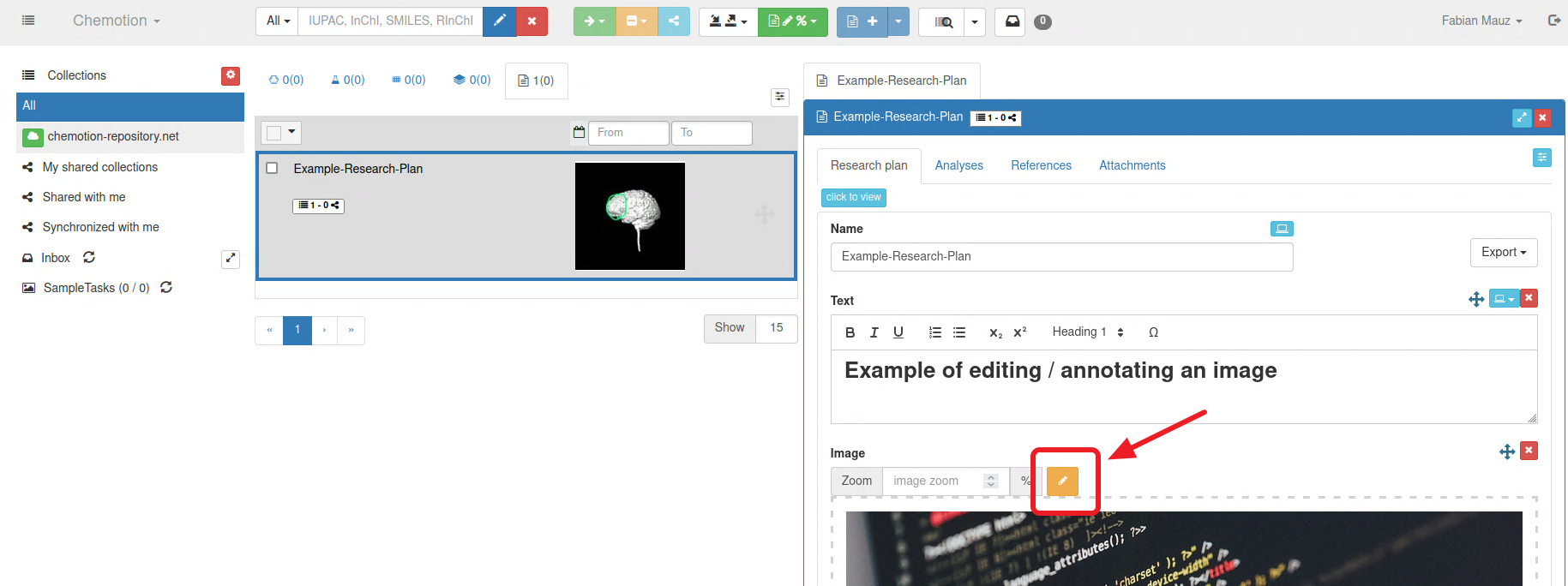
-
In Research Plan (attachments)
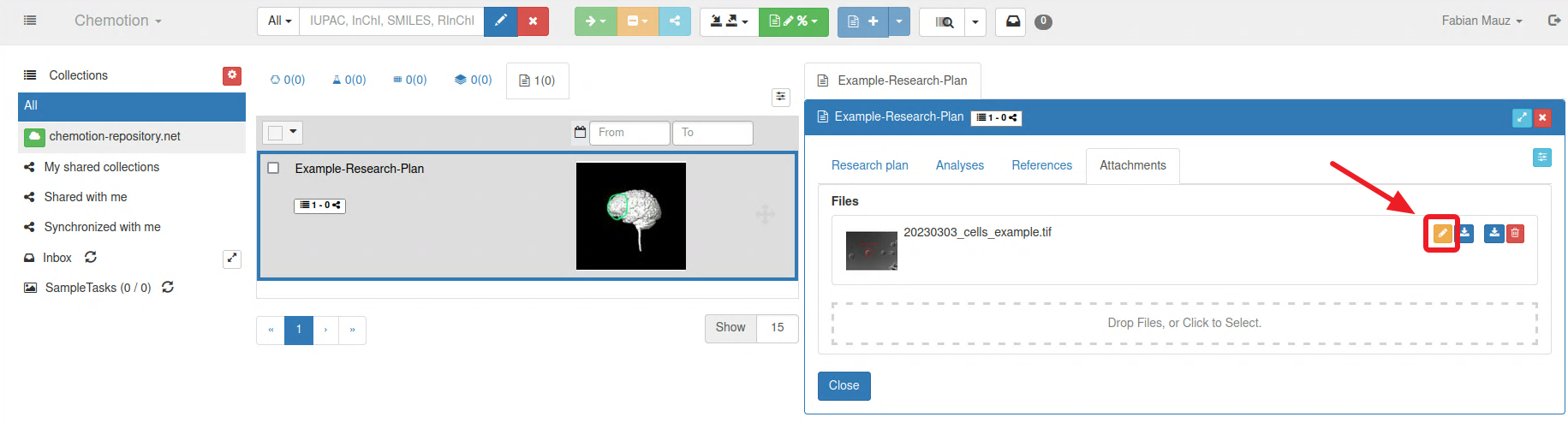
-
In a Dataset:
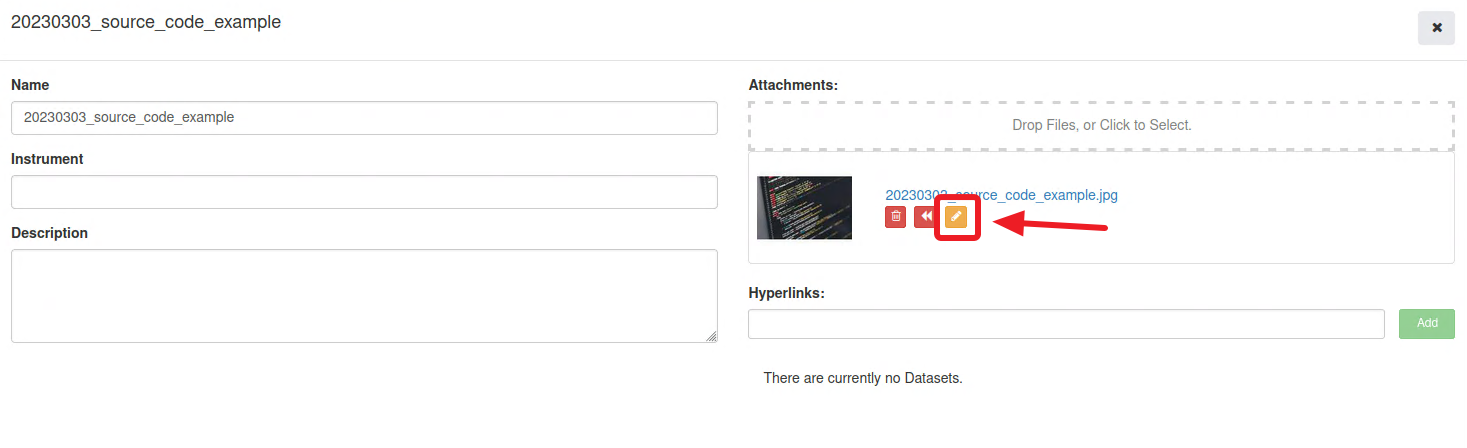
Editor
The integrated editor is svgedit. The editor can be divided into 4 different areas.
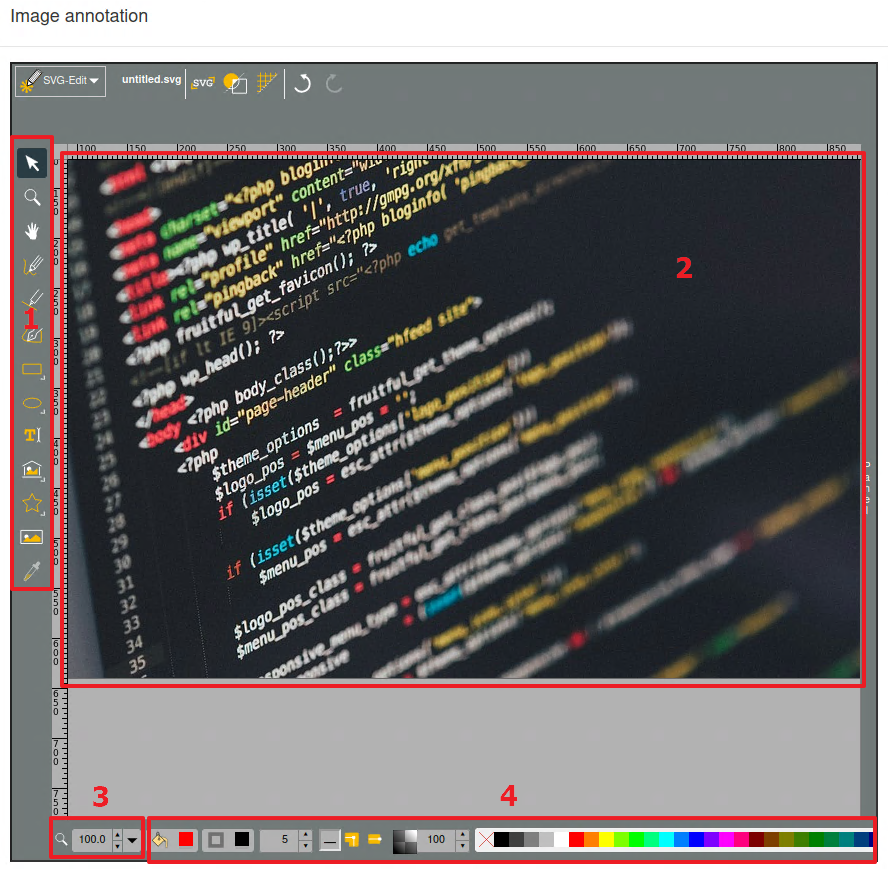
Toolbar (1)
Provides various tools for manipulating the image. There are graphic tools (circles, rectangles, ...), a free-form tool and the possibility to add text.
Canvas (2)
The canvas for adding graphic elements or text.
Elements outside the original image size are currently trimmed.
Magnification tools (3)
Offers the user the possibility to enlarge or reduce the current canvas. Automatic adjustment to the screen shape is also possible (fit to canvas).
Color selection (4)
Provides the user with a choice of colors and gradients to both fill and color the edge of the selected element