ChemConverter Administrator
Enable/Disable users as ChemConverter Administrator
To assign the ChemConverter Administrator role, navigate to the User Management menu, select the desired user, and click on Enable Converter profiles editing for this user . If the button is green, the user has Converter management permission; otherwise, they do not.
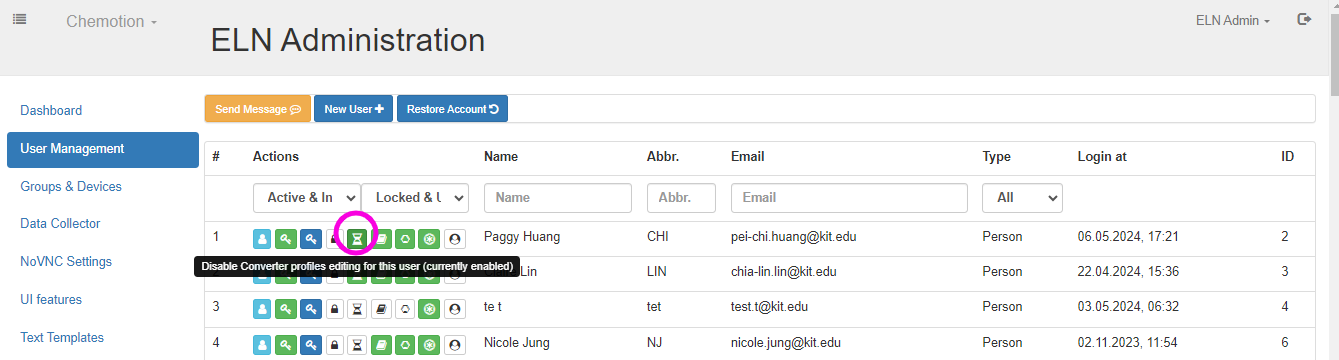
When the administrator clicks on the Enable Converter profiles editing for this user button, a message confirms the granting of converter management permission to this user, displayed as 'Enable Converter profiles editing for this user'. Likewise, when the administrator grants converter management permission to this user, a message confirms the disabling of converter profiles editing, displayed as 'Disable Converter profiles editing for this user'.
The ChemConverter Administrator permission is granted by the system administrator.