Installation
Currently only Windows is supported. Please check the previous page for more insight.
-
Download the latest release from the release page.
-
Open the executable file: ChemLocalLink-Setup-[V].exe
-
Go through the installation wizard:
A. License Agreement
Please read the license agreement carefully and click on I accept the agreement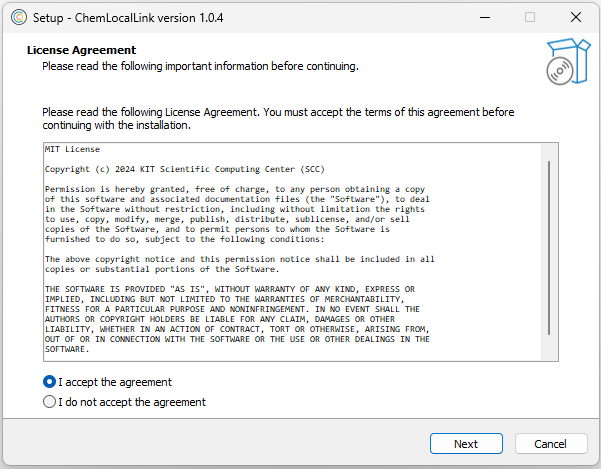
B. Select Destination Folder
Please choose a destination folder for installing the application. The default directory is set to:
C:\Program Files\ChemLocalLink.Notice:The Chemotion team recommends leaving the Destination folder as it is.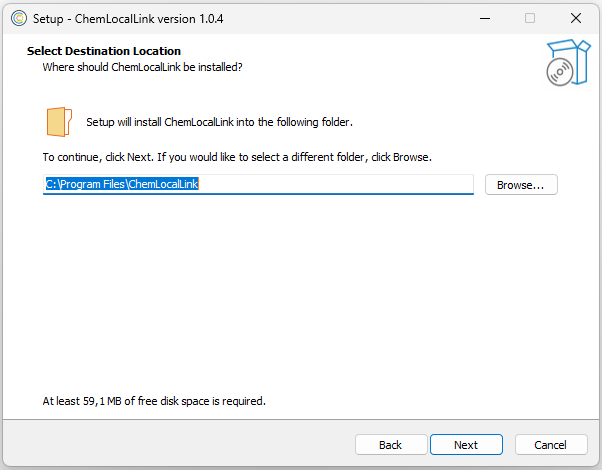
C. Select Start Menu Folder
Please select the Start Menu folder where shortcuts will be created. The default group name is set toChemLocalLink.Notice:The Chemotion team recommends leaving the Start Menu folder as it is.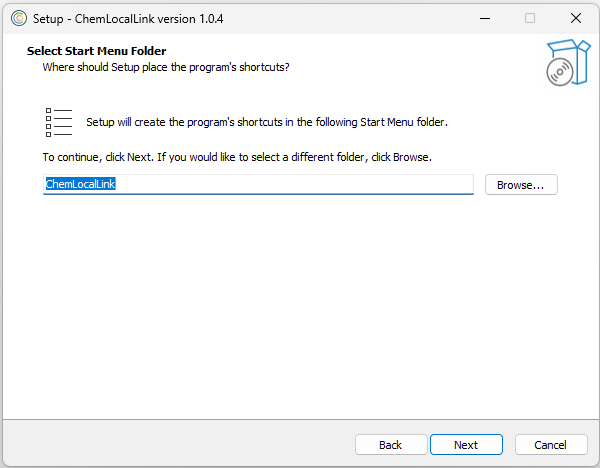
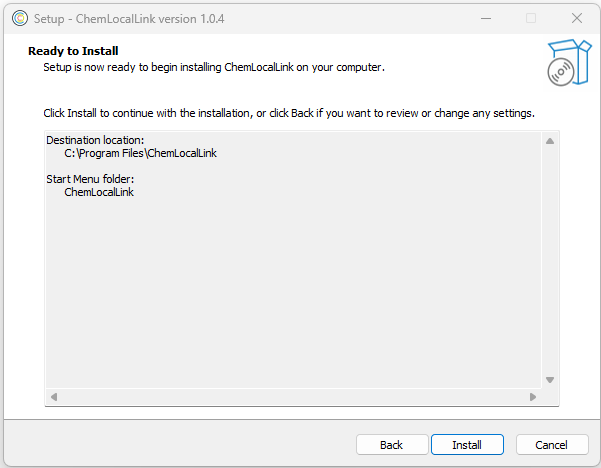
D. Overview
The wizard shows both the Destination Folder and the Start Menu folder before installing. If everything is okay, please click on Install
E. DotNet 8.0 Dependency Check
The installer will check for the specific version of the .NET Desktop Runtime (8.0.6) as a dependency.
If not present, the installer will install it automatically. -
ChemLocalLink is now installed!
Now the user can open files from the Chemotion ELN or open the application directly from the Start Menu.
Go to the next page to get insight into how to use it.