Introduction
OpenStats is a Third Party Application that offers broad support for statistical methods, Key features are:
- Data import of several tables (included in one file)
- Visualization
- Data Wrangling (Normalizations, logical subsets, basic calculations)
- Creating statistical models:
- linear models
- generalized linear models
- Calibration curves
- Testing Assumptions of the statistical models
- statistical tests:
- Parametric tests: T-Test, ANOVA, etc.
- Non-Parametric tests: Kruskal-Wallis-Test, Permutation ANOVA, etc.
- Record of each analysis step:
- thereby all steps can be retraced
- it is also possible to replay an entire analysis
- Please check also:
Data Import
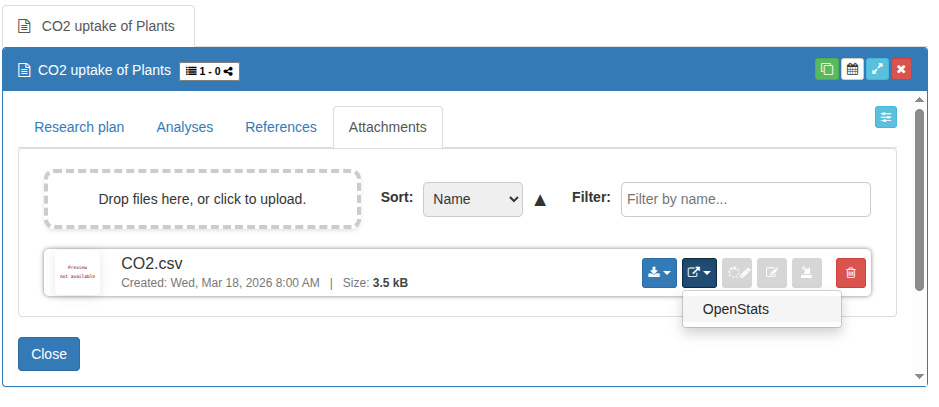
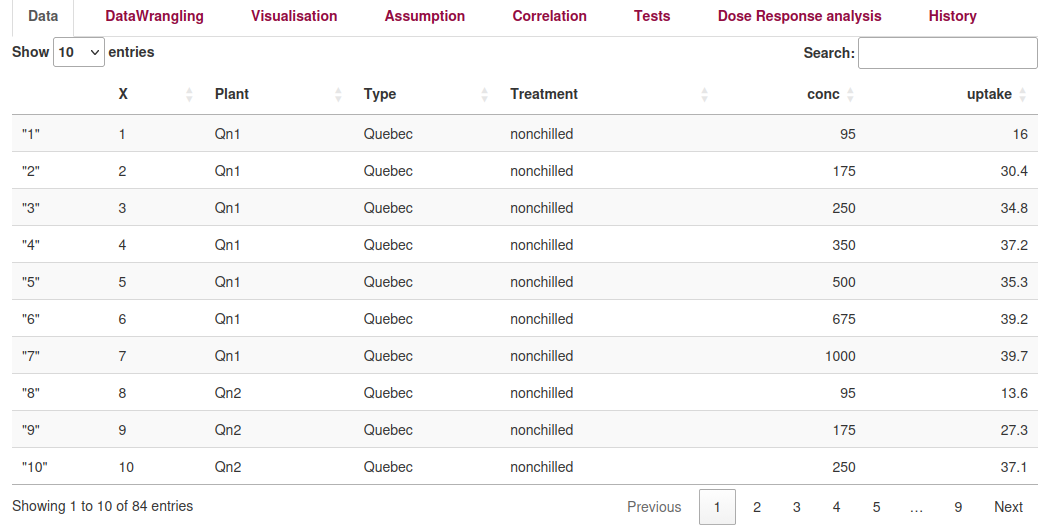
You can send any attachments (see the image below) in Chemotion ELN to OpenStats. Each attachment has a drop down listing the Third Party Applications (TPA) available for this file format. By choosing OpenStats a new browser tab is opened showing the TPA with the already loaded data.
How to import data
Data representation in OpenStats
Importing Multiple Tables:
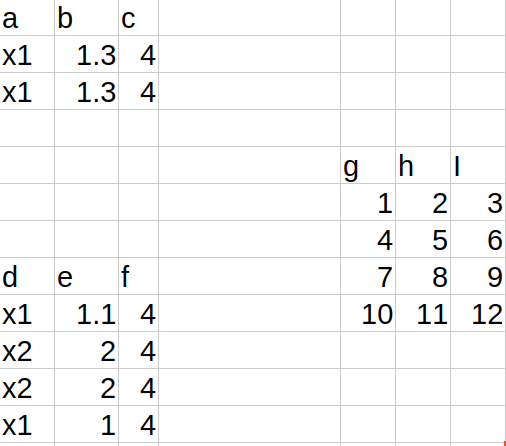
You can import multiple tables from a single file in OpenStats. This allows you to structure experimental data flexibly in Excel or CSV files.
How to structure your data:
- Each table must be separated from other tables by at least one completely empty column and one completely empty row.
- The first row of each table is used as column names (headers).
- All data below the first row is treated as the dataset.
Supported file types:
- CSV files: All tables are read from the file if properly separated.
- Excel files (.xlsx): All sheets are checked. OpenStats reads all tables from each sheet if they are properly separated.
What is not supported:
- Merged cells are not supported.
- Plots, images, or embedded objects in Excel are ignored.
Example layout: