Text Editor
Text editors appear throughout the ELN and text templates let you insert ready-made paragraphs with a single click — handy for content you write repeatedly. Everyone can create their own personal templates. Global templates (shared across the whole ELN) can be viewed by anyone and edited by users with the Global Template Editor privilege.

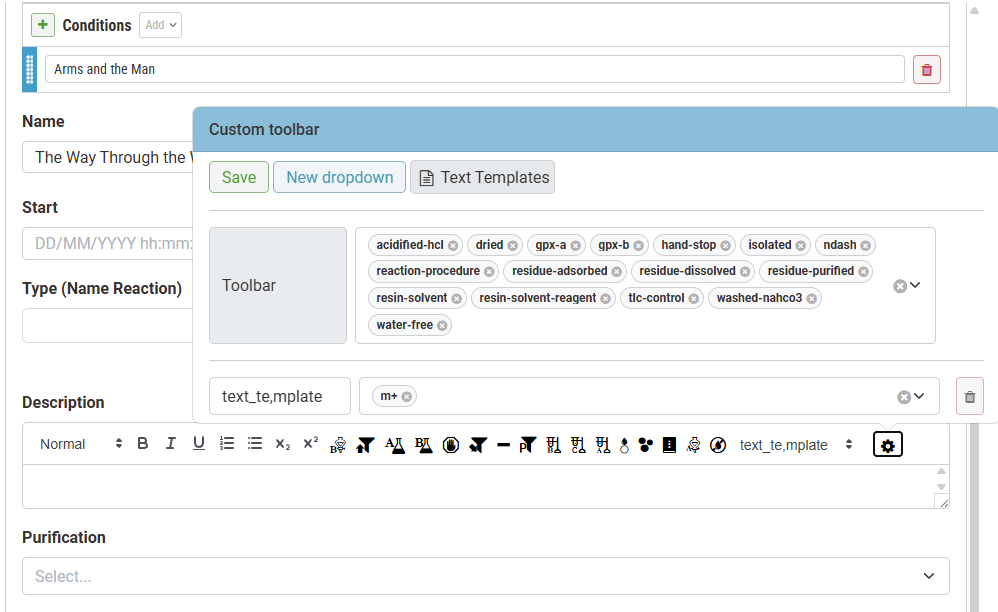
Formatting utilities: standard text formatting (bold, italic, lists, etc.).
User-defined custom text templates: icons or dropdown menus for your templates or global templates.
Configuration: pop-up menu to configure text templates in the editor.
Using and customizing icons
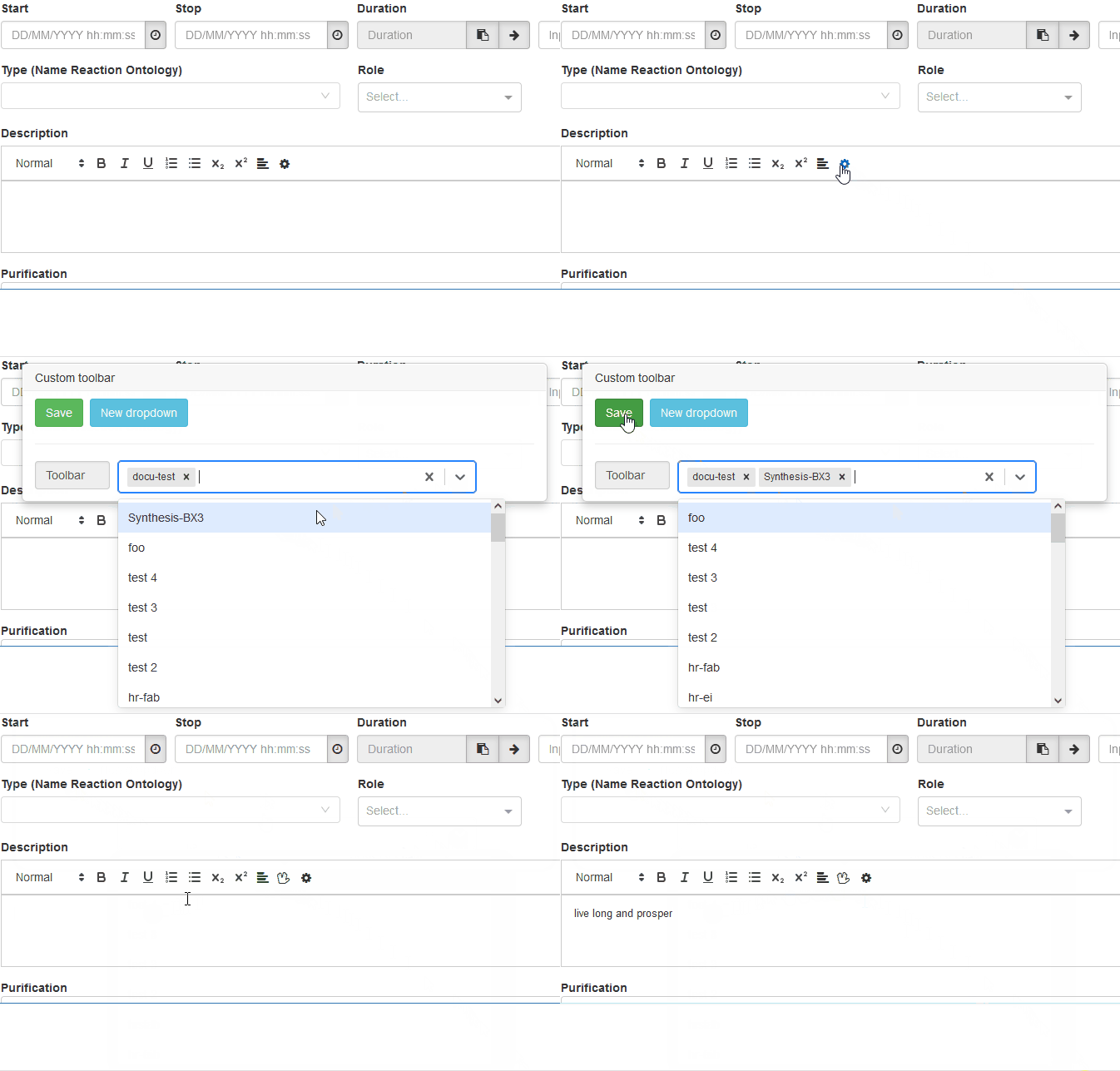
You can use predefined templates and your own templates when your cursor is active in the editor.
Click an icon to insert the text template content at the cursor position.
The following video shows you how to customize your toolbar:
Using and customizing templates dropdown menus
You can also group templates into dropdown menus instead of individual icons:
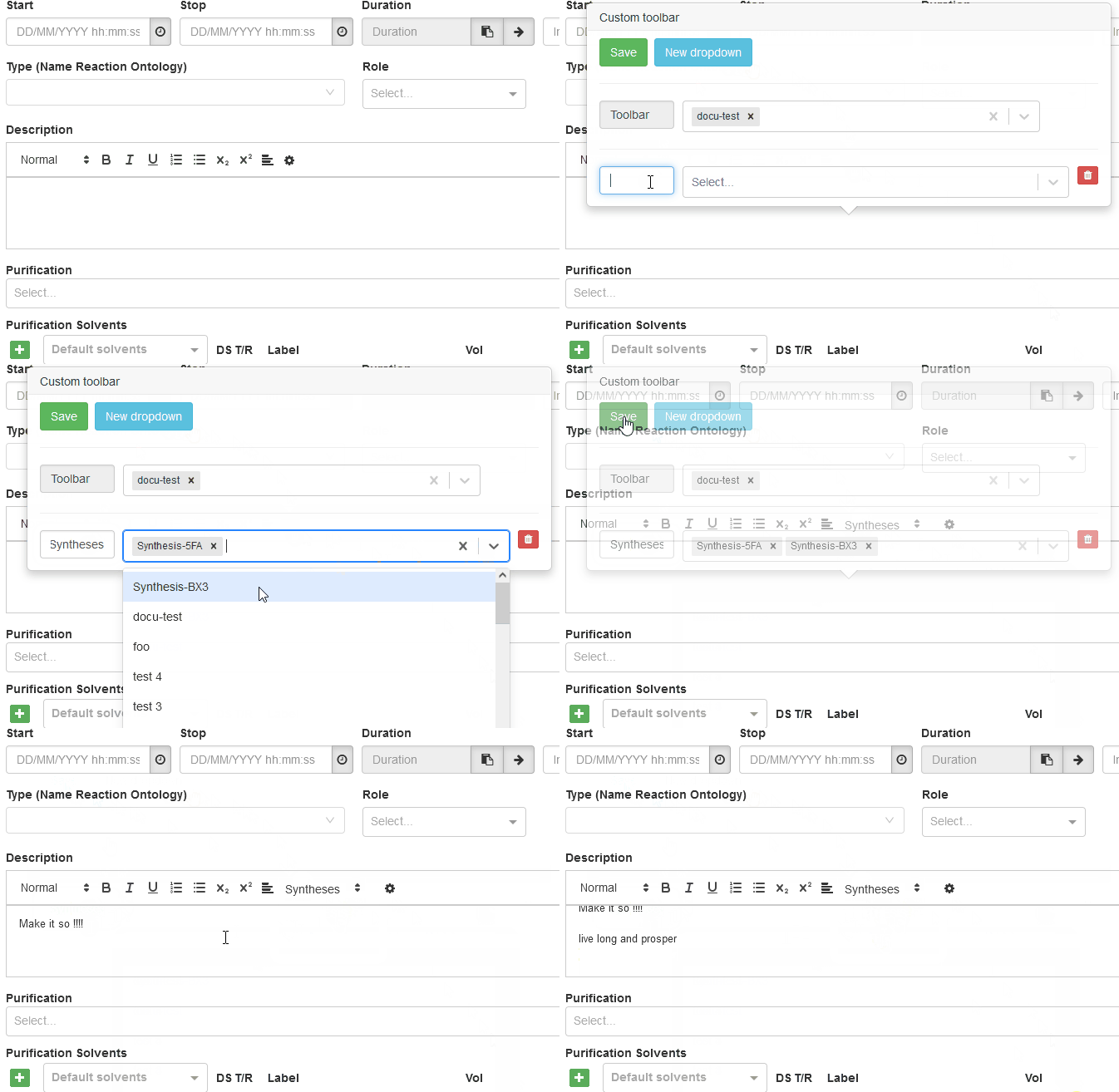
Click to remove any item from the toolbar or dropdown.
This feature is available starting from version 4.0.
Text Templates
The MT dropdown in the toolbar can show predefined templates as well as your personal templates and new global templates. Open the toolbar settings menu and click Text Templates to manage the templates that appear there.